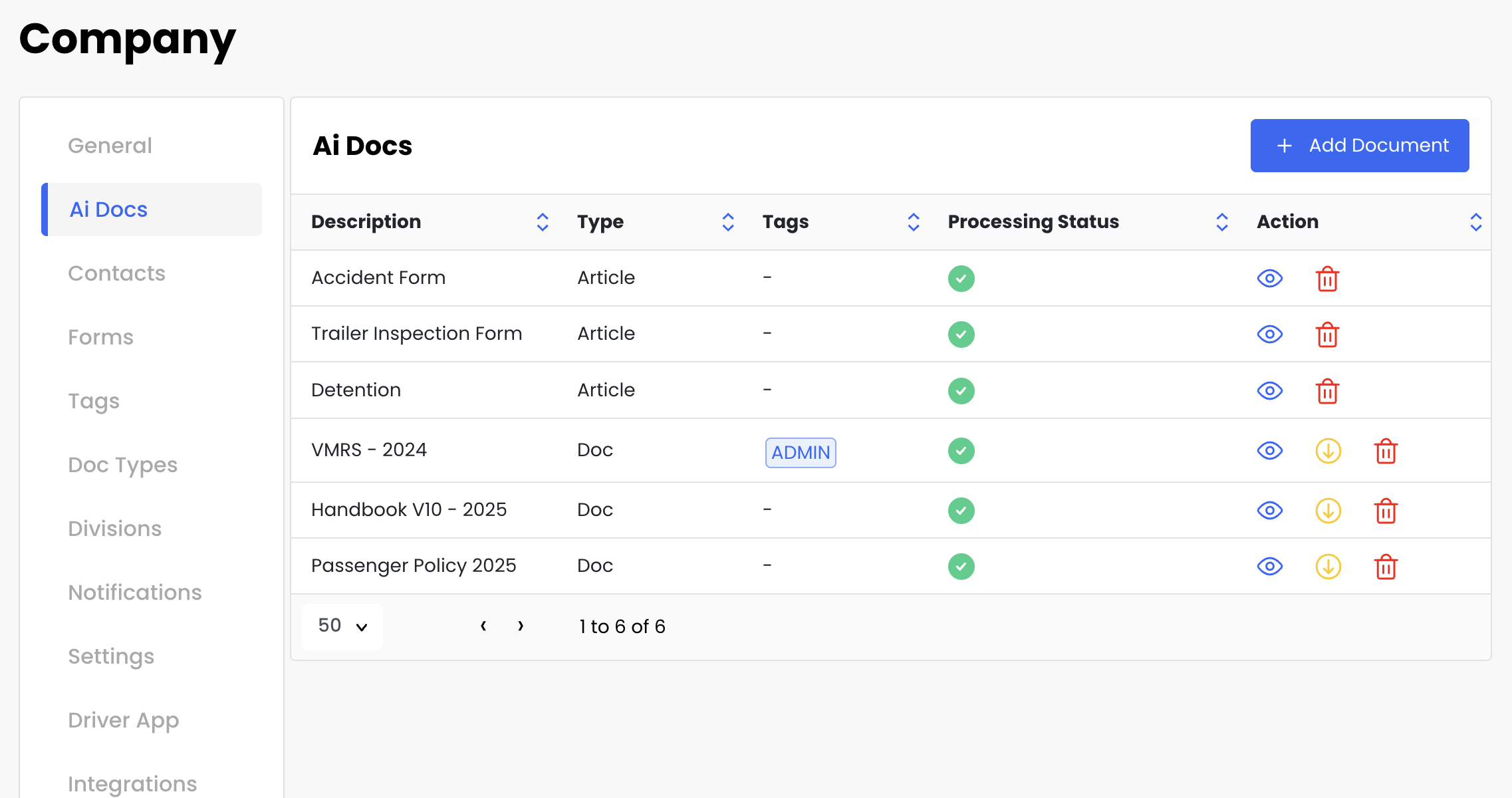
Add Ai documents to your company.
Go to Company / Ai Docs.
Press + Add Document.
Save.
Documents need to process, depending on the size of PDF, it might take a few minutes, before the green check mark shows up in the Processing Status.
Now You ready to start asking questions to the Ai agent.
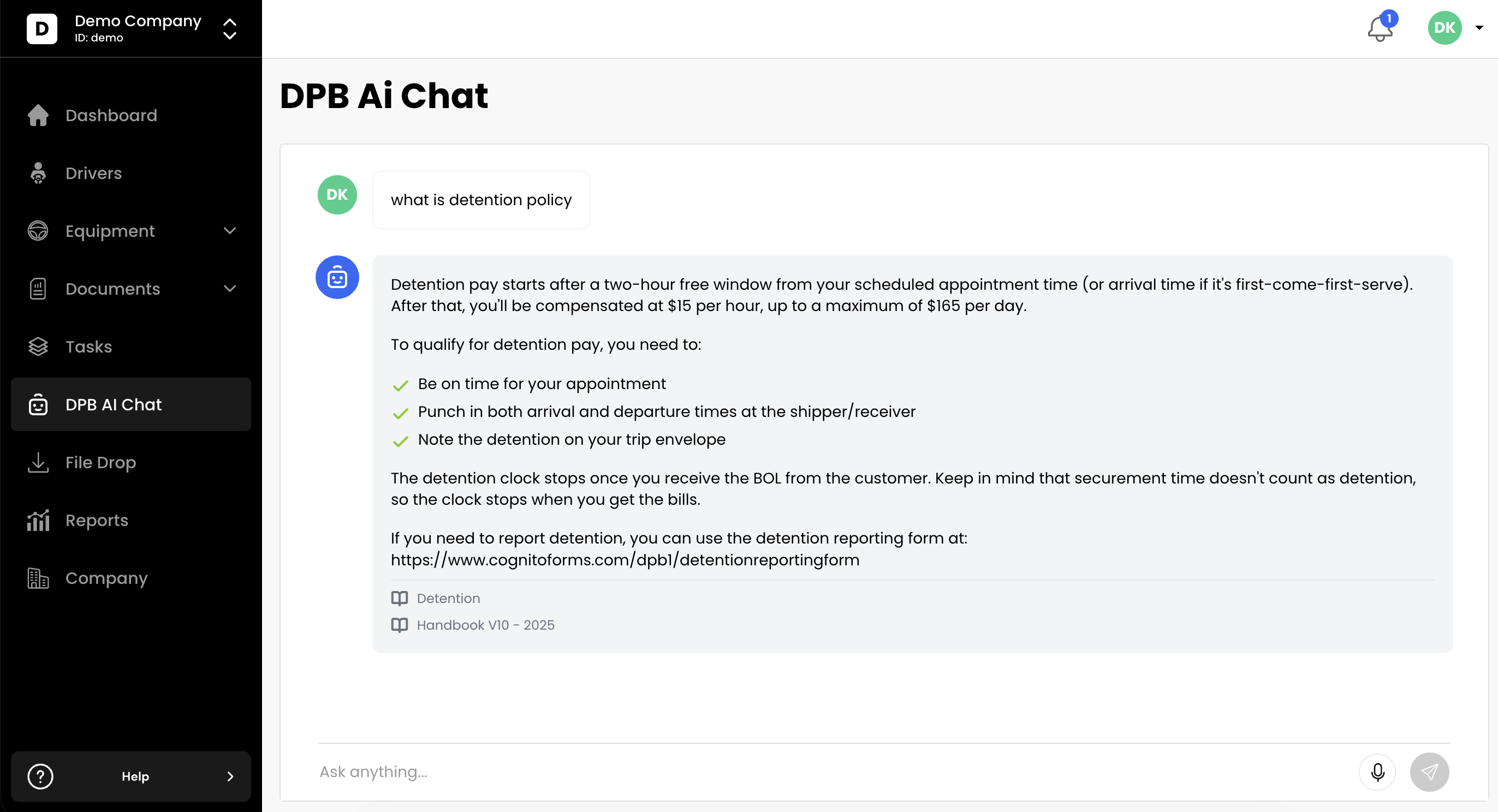
On the left Side Menu pick DPB Ai Chat.
Ask any question.
You will see response based on your documents. ( Source of answer will be displayed on bottom of response ).
DPB Ai chat has automatically access to eCFR Title 29, and 49. Plus all your documents.
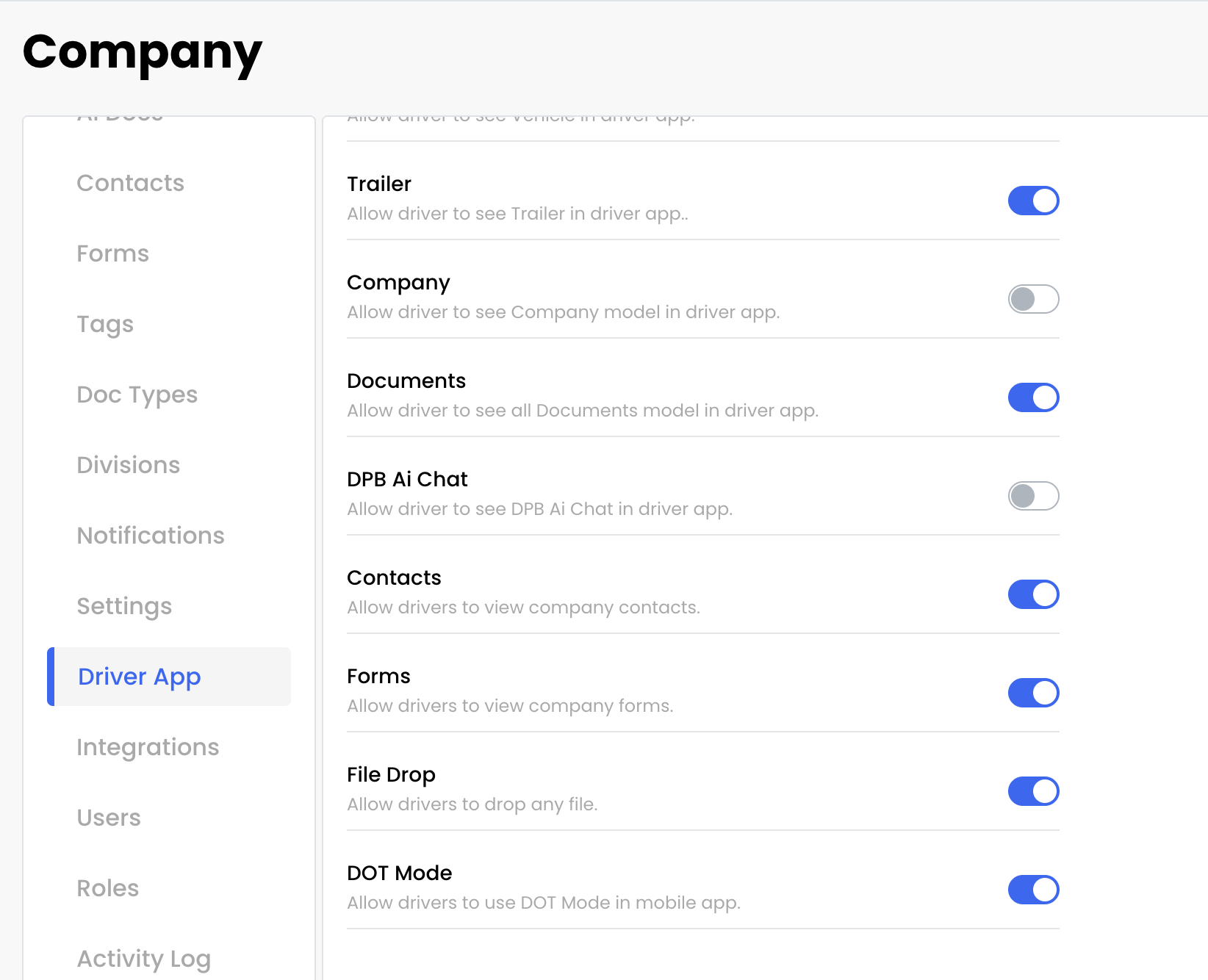
How to turn on Ai Chat for Drivers ?
Go to Company.
Go to Driver App.
Set DPB Ai Chat to ON.