Go to Records.
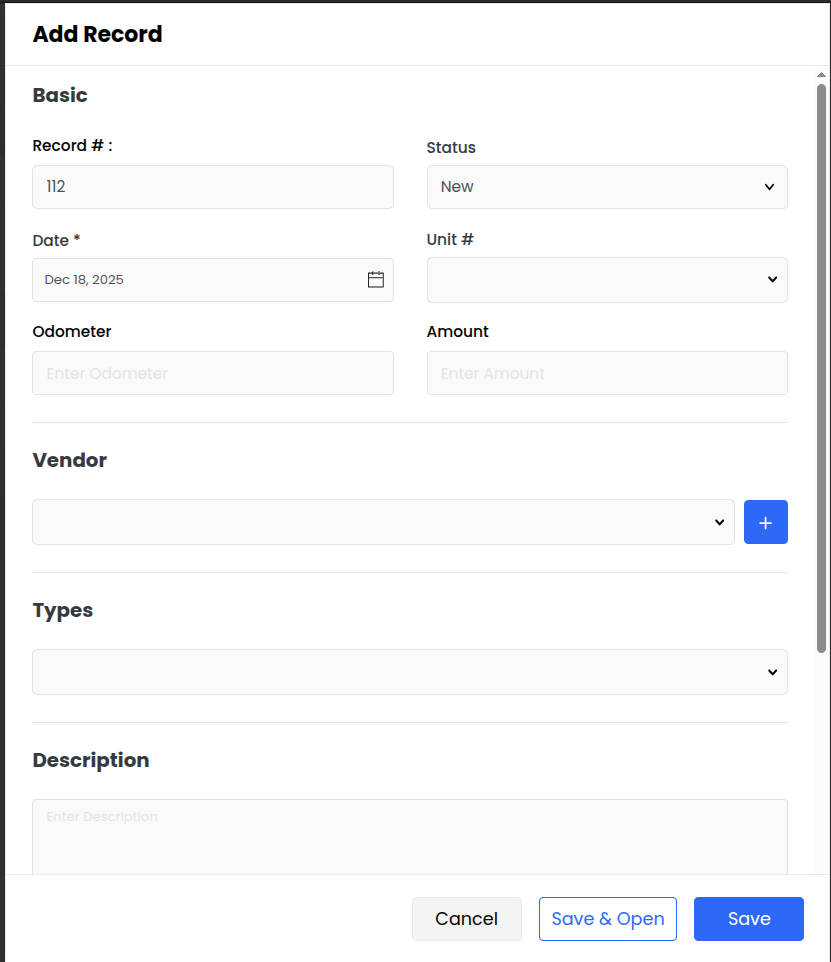
Click on Add Record.
Enter the required details:
Record #
Status
Date
Unit ( Vehicle or Trailor)
Odometer
Amount
Select a Vendor (you can add a new vendor using the + button).
Choose the Type for the record.
Add a Description if needed.
Attach Document
Click Save or Save & Open.
Go to Totals.
View aggregated expenses grouped by unit
You’ll see a summary table showing:
Unit #
Type
Total Amount spent per unit
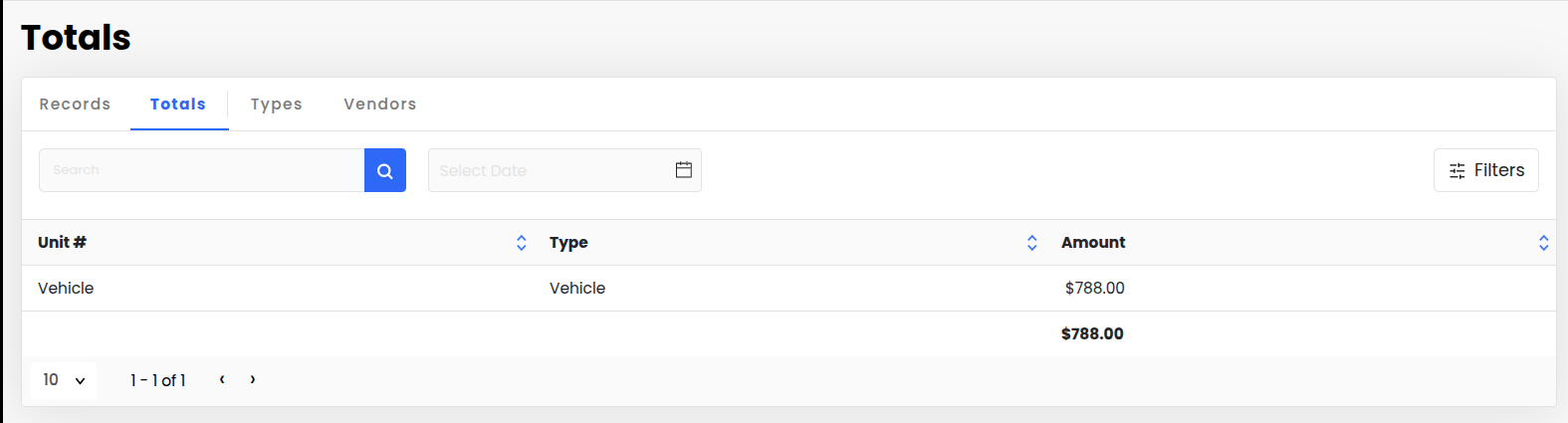
This view helps you track which units have the highest maintenance costs.
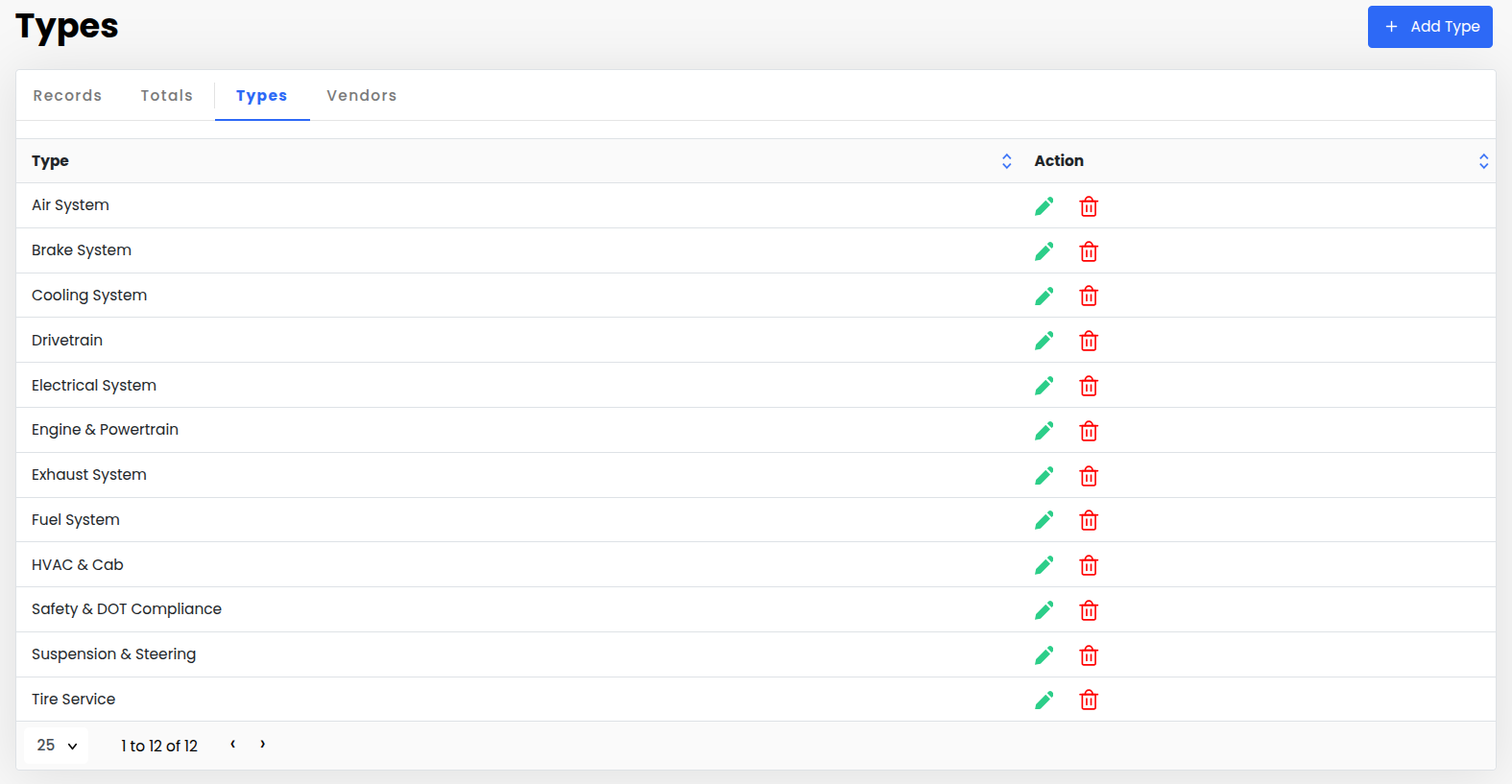
Go to Types.
To add a new type, click + Add Type in the top-right corner.
Enter the Type name (e.g., “Oil Change”, “Inspection”, etc.) and save.
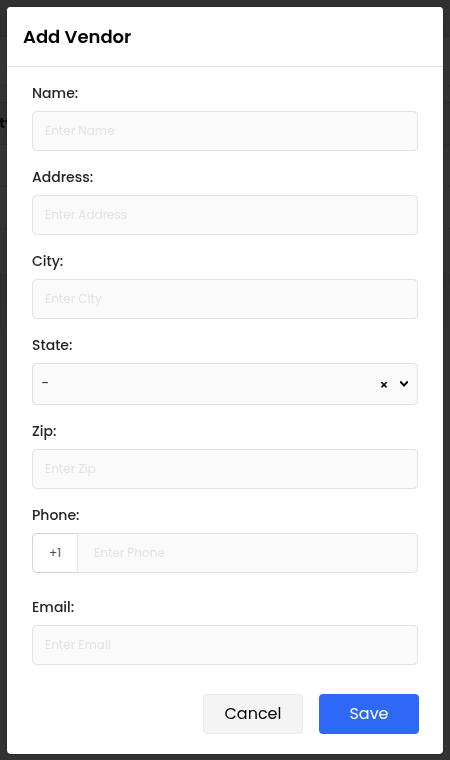
Go to Vendors.
To add a vendor, click + Add Vendor in the top-right corner.
Enter the details.
Click Save to add the vendor.