Click + Add Accident in the top-right corner.
Enter the Basic information:
Record # – Auto-generated unique identifier
Status – Select from dropdown (New, In Progress, Completed, etc.)
Date – Click calendar icon to select accident date
Time – Enter time of accident
Driver – Select driver from dropdown
Vehicle – Select vehicle from dropdown
Trailer – Select trailer from dropdown (if applicable)
DOT – Select if accident is DOT reportable
Fault – Select if driver was at fault
Notes – Enter detailed accident notes
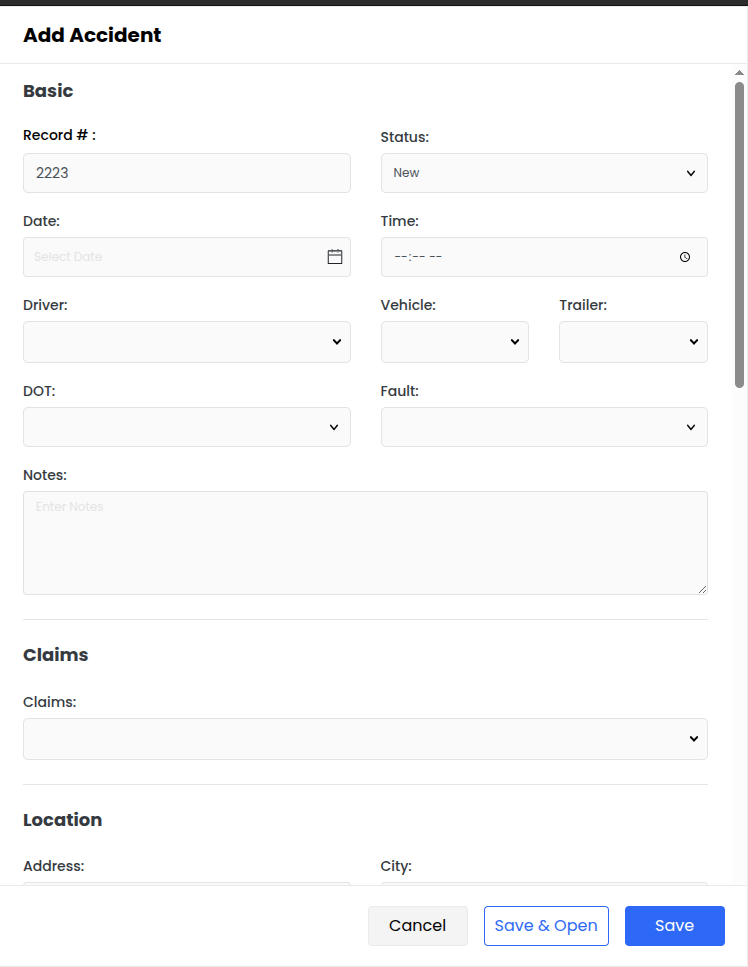
Enter Claims information:
Claims – Select or enter claim information from dropdown
Enter Location details:
Address – Enter street address where accident occurred
City – Enter city name
State – Select state from dropdown
Postal Code – Enter zip/postal code
Click Draw Accident to add a visual diagram of the accident scene (optional).
Enter Details:
# of Vehicles – Enter total number of vehicles involved
Hazmat or Gas Spill – Select from dropdown if applicable
Surface – Select road surface condition from dropdown
Weather – Select weather conditions from dropdown
# of Injury's – Enter number of injuries
# of Fatality's – Enter number of fatalities
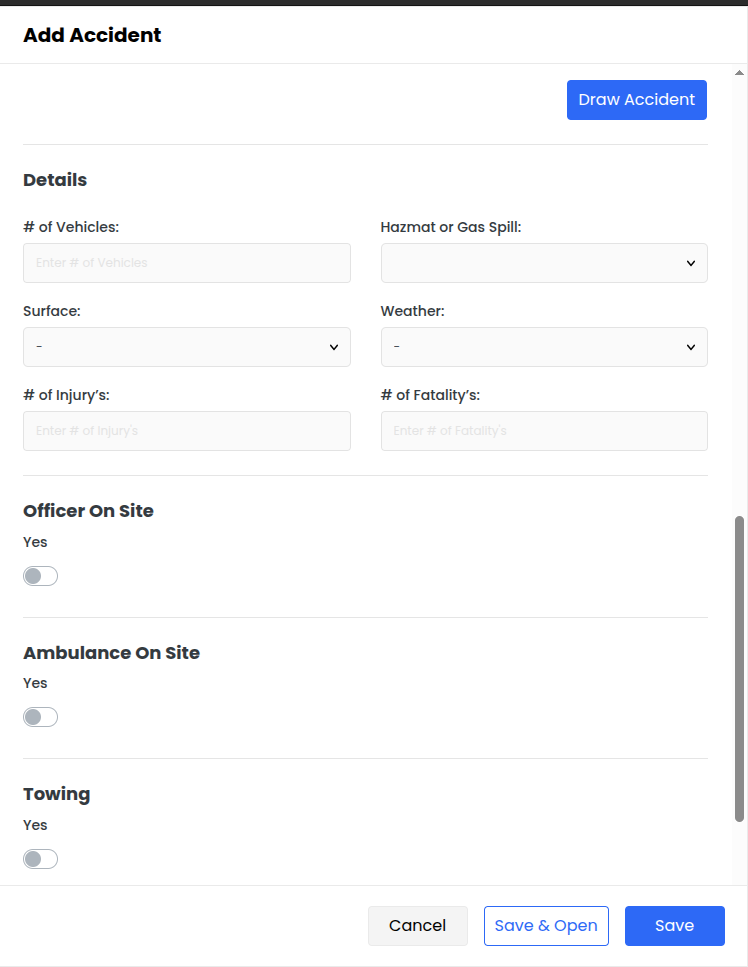
Toggle Yes/No options:
Officer On Site – Toggle if police officer responded
Ambulance On Site – Toggle if ambulance responded
Towing – Toggle if vehicle was towed
Loaded Trailer – Toggle if trailer was loaded
Drug Or Alc Test – Toggle if drug/alcohol test was administered
Click Save to save and return to the main list. OR Click Save & Open to save and continue editing.
