View and Manage All Documents
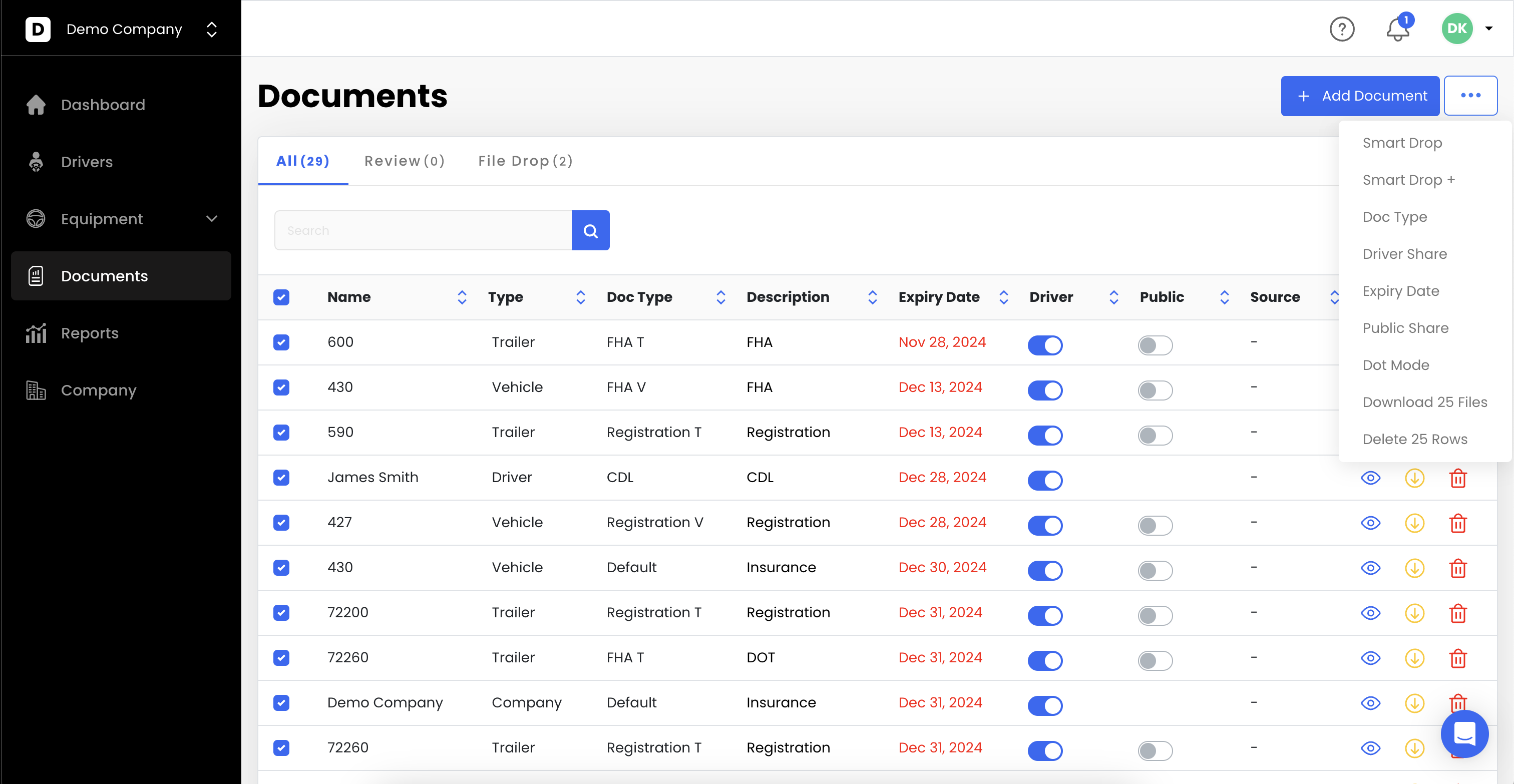
Go to Documents.
View and manage all documents in the system.
Select one or multiple documents to make bulk updates.
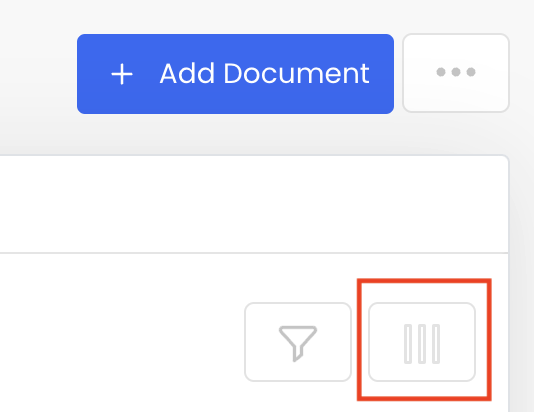
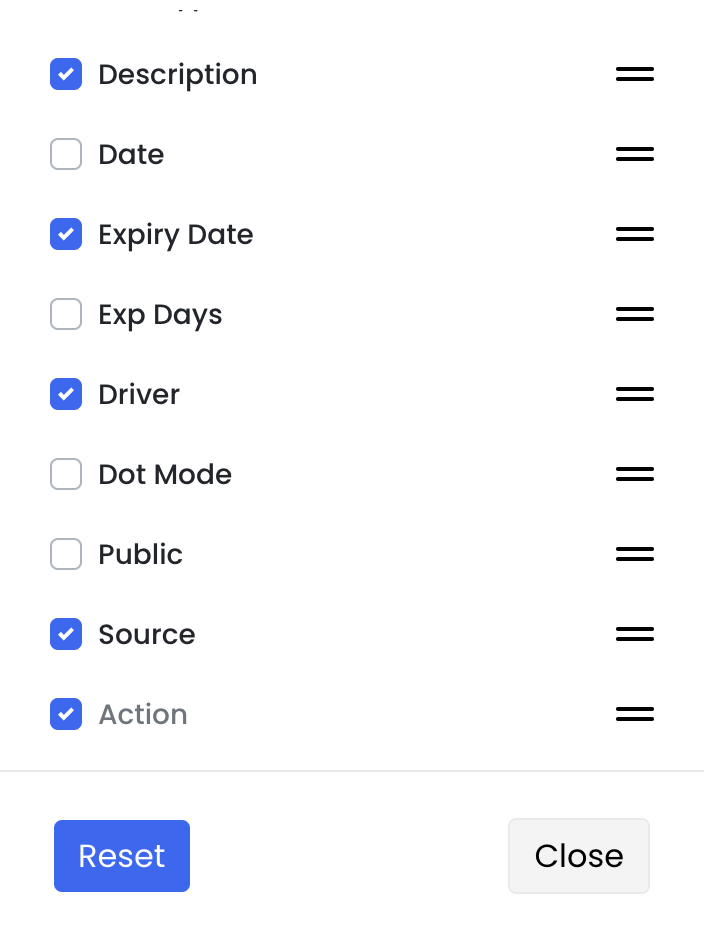
You can customize columns on the right side to show other information.
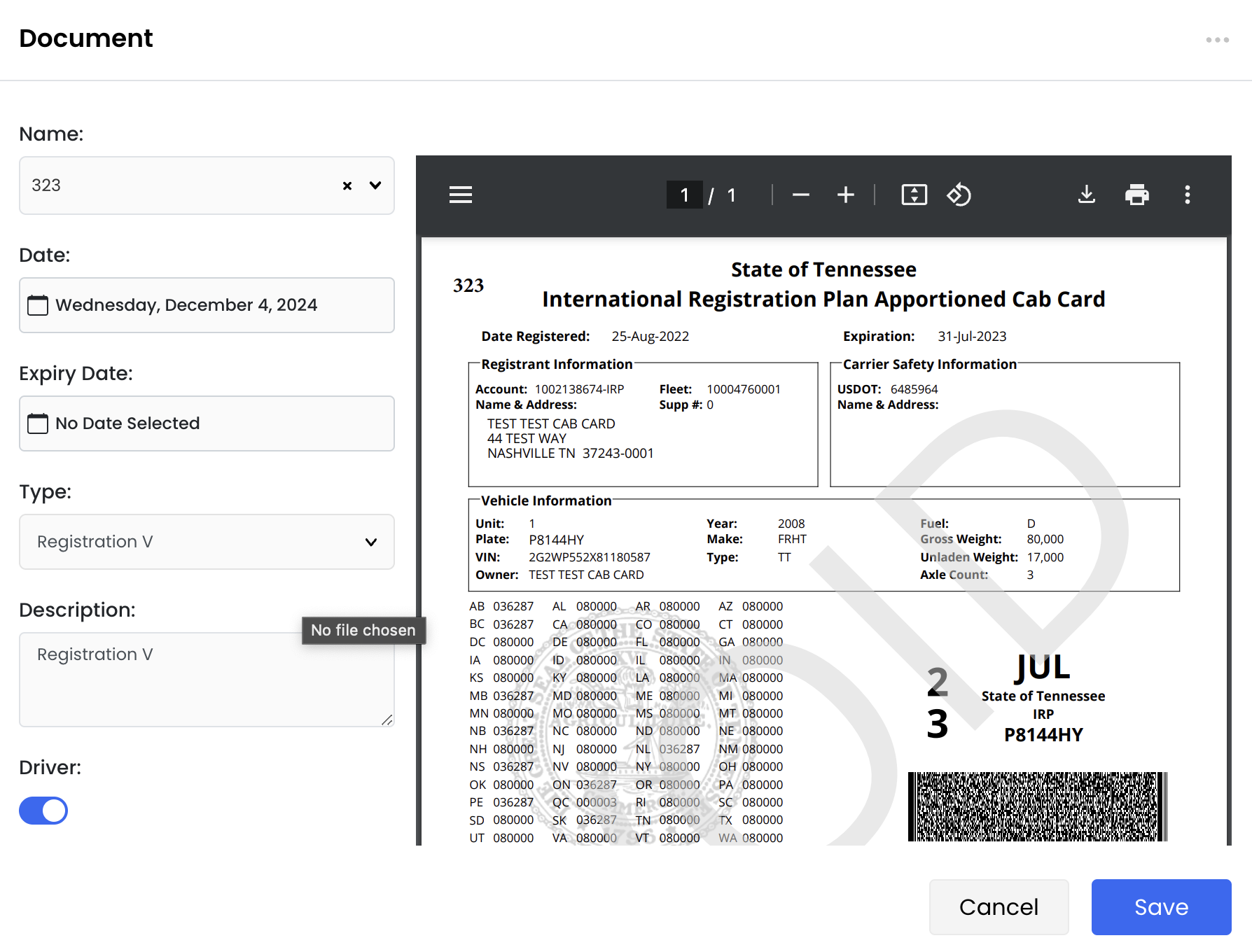
Add documents by:
Choosing Driver Name or Equipment Unit #
Selecting Date (default = today)
Setting Expiry Date if needed
Choosing Document Type
Clicking Save
If multiple documents of the same Document Type exist for the same unit, only the document with the latest expiration date is considered for dashboard notifications. Additionally, if a document of the same type exists without an expiration date, it will not appear on the dashboard because there is no expiration to track. Archive outdated or superseded document copies instead of keeping multiple active versions. Also, avoid removing the expiration date from documents that are intended to expire, as this will prevent them from appearing in dashboard expiration reminders.
